
 All vikis
 007 First Light
 Aion 2
 Ananta
 ARC Raiders
 ArcheAge Chronicles
 Call of Duty: Modern Warfare 4
 Chrono Odyssey
 Civilization 3
 Civilization 4
 Crimson Desert
 Deadlock
 Diablo 4
 Diablo 5
 Enshrouded
 Fable
 Final Fantasy Resonance
 Football Manager 27
 Forza Horizon 6
 Grand Theft Auto 6
 Heroes of Might and Magic 3
 Heroes of Might and Magic: Olden Era
 Kingdom Come: Deliverance 2
 Metro 2039
God of War Ragnarok Accessibility
God of War Ragnarok has over 70 accessibility features by Sony's current count (more than 60 at its May 2022 reveal), grouped into four presets for vision, hearing, motion and motor needs, and it won Innovation in Accessibility at The Game Awards 2022.
God of War Ragnarok has over 70 accessibility features, by the count on PlayStation's own accessibility page, set up through four presets (Vision, Hearing, Motion reduction and Motor) that can each be Off, Some or Full, and it won Innovation in Accessibility at The Game Awards 2022. The number grew as Santa Monica Studio revealed more: more than 60 in May 2022, then more than 70 on Nov 4, 2022, days before launch. For God of War Laufey, due May 20, 2027, no accessibility options have been listed as of Nov 4, 2026.
Quick facts
| Features | Over 70 (PlayStation, read Nov 4, 2026) |
| First count | More than 60, May 19, 2022 |
| Presets | Vision, Hearing, Motion reduction, Motor; each Off, Some or Full |
| Remapping | 14 buttons, 10 control schemes |
| Screen reader | English only, selected menus |
| Award | Innovation in Accessibility, The Game Awards 2022 |
| Led by | Mila Pavlin, lead UX designer, Santa Monica Studio |
| Platforms | PS5, PS4; PC since Sep 19, 2024 |
Sources: PlayStation accessibility page; PlayStation Blog, May 19, 2022; The Game Awards.
How many accessibility options does God of War Ragnarok have?
Over 70, as Sony's page says now. The count depends on who is counting and when. Mila Pavlin's May 19, 2022 post promised more than 60 ways to adjust the game, keeping every option of the 2018 game and adding more; Game Informer reported more than 70 on Nov 4, 2022. The PlayStation Store's own tag list shows 34, but those are PlayStation's generic accessibility tags, not a count of the game's options.
Presets
Four presets set many options at once: Vision, Hearing, Motion reduction and Motor. Each can be Off, Some or Full, and any setting a preset changes shows in blue, so it is clear what moved. Every option can still be set one by one afterward.
Controls
The controls can be remapped by action across 14 buttons, and there are 10 control schemes: Default, Inverted, Classic, Left-Handed, Right-Handed, Survivalist, Assassin, and three custom slots. Touchpad swipes can be set as shortcuts for seven functions. From the PC version of the 2018 game come Auto Sprint, Aim Style and Block Style.
Combat and puzzle assistance
Aim assist has three levels (Off, Classic, Classic+). Puzzle timing, mini-game style, auto pick-up, mini-boss checkpoints and evade assist can all be adjusted; the last two are not available on Give Me No Mercy or Give Me God of War. There are also navigation assist and traversal assistance for getting around, and Assistance+, all new in Ragnarok at the May 2022 reveal. A Lessons Learned Codex holds combat, exploration and mechanics tips that can be read at any time. Difficulty itself is on God of War Difficulty Modes.
Vision and hearing
High contrast mode covers both the HUD and cinematics, with color filters and a reduce-flashing option. Subtitles and captions come in 8 colors, with direction indicators, speaker names and adjustable text and icon sizes. Audio cues can be switched on as well. A screen reader reads selected menus, in English only.
Motion
Camera shake, ambient sway, motion blur and film grain each have a slider from 0 to 10. A persistent dot in the center of the screen, the always-on reticle carried over from the 2018 PC version, comes in 4 sizes and 7 colors, and there is a cinematic smoothing option.
On PC and in Valhalla
The PC version (Sep 19, 2024) adds mouse and keyboard rebinding and full DualSense support with haptics and adaptive triggers; the details are on God of War PC Requirements. In Valhalla, the Dec 12, 2023 epilogue, the base game's accessibility settings apply alongside its own five difficulty settings.
Accessibility in God of War Laufey
Not listed yet. Santa Monica Studio has not published accessibility options for God of War Laufey as of Nov 4, 2026. Ragnarok's set is the studio's most recent; whether Laufey keeps or extends it has not been said.
Frequently asked questions
How many accessibility options are in God of War Ragnarok? Over 70, according to PlayStation's God of War Ragnarok accessibility page; Sony first announced more than 60 in May 2022.
Did God of War Ragnarok win an accessibility award? Yes. God of War Ragnarok won Innovation in Accessibility at The Game Awards 2022 on Dec 8, 2022.
Does God of War Ragnarok have a screen reader? Yes, for selected menus, and in English only.
Can you remap controls in God of War Ragnarok? Yes. God of War Ragnarok remaps by action across 14 buttons and offers 10 control schemes, including left-handed and right-handed layouts and three custom slots.
Does God of War Ragnarok have accessibility presets? Yes, four: Vision, Hearing, Motion reduction and Motor, each set to Off, Some or Full.
Will God of War Laufey have accessibility options? Not announced as of Nov 4, 2026. Santa Monica Studio has not listed any for God of War Laufey yet.
Sources
- God of War Ragnarök accessibility options, PlayStation, undated page
- God of War Ragnarök accessibility features revealed, PlayStation Blog (Mila Pavlin), May 19, 2022
- God Of War: Ragnarok Accessibility Features Detailed In New Blog Post, Game Informer (Wesley LeBlanc), May 19, 2022
- Santa Monica Studio Reveals More Than 70 Accessibility Features In God Of War Ragnarök, Game Informer (Wesley LeBlanc), Nov 4, 2022
- The Game Awards 2022 winners, The Game Awards
- God of War Ragnarök: Valhalla DLC revealed, coming December 12, PlayStation Blog (Grace Orlady), Dec 7, 2023
- ESSENTIAL Tips I Wish I Knew Sooner 🪓 God of War Ragnarok, Arktix, Sep 22, 2024 (video)
Moments
ESSENTIAL Tips I Wish I Knew Sooner 🪓 God of War Ragnarok
Arktix
- God of War Ragnarok has over 70 accessibility features, by the count on PlayStation's own accessibility page, set up…
- The controls can be remapped by action across 14 buttons, and there are 10 control schemes: Default, Inverted…
- Aim assist has three levels (Off, Classic, Classic+). Puzzle timing, mini-game style, auto pick-up, mini-boss…
- High contrast mode covers both the HUD and cinematics, with color filters and a reduce-flashing option. Subtitles and…
Related
-
 God of War Ragnarok Beginner TipsThe most useful God of War Ragnarok beginner tips are to pick Give Me Balance or lower if you want Evade Assist and miniboss checkpoints, turn on Auto Pick-Up, read the Lessons Learned Codex, and build armor and enchantments around one play style. They come from Santa Monica Studio's own settings and guides.
- God of War Ragnarok New Game PlusGod of War Ragnarok's New Game Plus arrived free on Apr 5, 2023, unlocked by finishing the story on any difficulty; it carries over gear, weapons and skills, raises the level cap and adds new armor. God of War (2018) got its own New Game Plus on Aug 20, 2018.
-
 God of War ReviewsThree God of War games share the series' best Metacritic score, 94: God of War (2005), God of War (2018) on PS4 and God of War Ragnarok on PS5. The lowest is God of War Sons of Sparta at 64; God of War Laufey has no reviews before its May 20, 2027 release.
- God of War SalesGod of War (2018) is the best-selling God of War game at over 23 million copies by Sony's Nov 2022 count, and God of War Ragnarok had sold more than 15 million by Nov 19, 2023. The Greek games sold 21.65 million together by May 2012; Sony has published no newer series total.
-
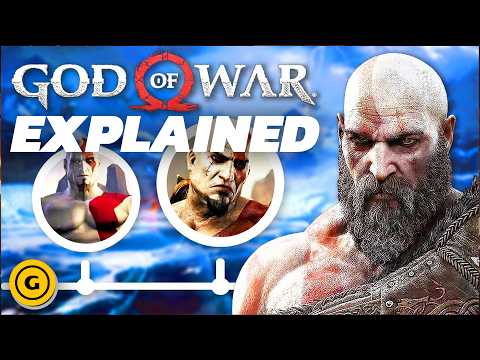 God of War Timeline ExplainedThe God of War story runs from Kratos's youth in Sparta (Sons of Sparta) through his revenge on Ares and Zeus (God of War to God of War III), then to his life in the Norse world with Faye and Atreus (God of War 2018, Ragnarok and Valhalla). God of War Laufey follows Faye from her funeral, alongside the 2018 game.
-
 God of War TrophiesGod of War Ragnarok has 36 trophies with the platinum, "The Bear and the Wolf", plus 12 for Valhalla; God of War (2018) has 37, with the platinum "Father and Son". Neither needs a second playthrough or a particular difficulty.
-
How Long to Beat God of WarGod of War Ragnarok takes about 26.5 hours to beat and 55.5 hours to complete on HowLongToBeat, and God of War (2018) about 20.5 and 51 hours. The Greek games run 5.5 to 12 hours each; God of War Laufey has no length yet before its May 20, 2027 release.
-
 Where to Play Every God of War GameOn PS5 you can play God of War (2018), God of War Ragnarok, Valhalla, Sons of Sparta and God of War III Remastered today, and the first two are in PlayStation Plus Extra. Both Norse games are also on Steam and the Epic Games Store; God of War Laufey is PS5 only from May 20, 2027.
See also
-
-
 God of War Difficulty ModesGod of War Ragnarok has five difficulty settings, Give Me Story, Give Me Grace, Give Me Balance, Give Me No Mercy and Give Me God of War; the hardest can only be chosen at the start of a new game, and Valhalla has five settings of its own, up to Show Me Mastery.
-
 God of War PC RequirementsGod of War Ragnarok on PC (Sep 19, 2024) needs at least a GTX 1060 or RX 5500 XT, 8 GB of RAM and a 190 GB SSD, and since Jan 29, 2025 no PlayStation Network account; God of War (2018) on PC (Jan 14, 2022) needs a GTX 960 or R9 290X, 8 GB of RAM and 70 GB. Both are on Steam and the Epic Games Store; God of War Laufey has no PC version announced.
-
ValhallaValhalla is the free roguelite epilogue to God of War Ragnarok, released on Dec 12, 2023, in which Kratos and Mimir climb through repeating trials built from Kratos's past. It is free for every Ragnarok owner and included in the PC version.
- God of War AwardsGod of War (2018) won Game of the Year at The Game Awards 2018, D.I.C.E. and BAFTA, and God of War (2005) won Game of the Year at D.I.C.E. in 2006. God of War Ragnarok won six Game Awards, seven D.I.C.E. awards and six BAFTAs but lost Game of the Year at The Game Awards and D.I.C.E. to Elden Ring.
-
 God of War Games in OrderThere are 11 God of War games and one free epilogue from God of War (2005) to God of War Sons of Sparta (2026), with God of War Laufey next on May 20, 2027. In story order the Greek saga runs from Sons of Sparta to God of War III, then the Norse saga from God of War (2018) to Valhalla, with Laufey beside the 2018 game.